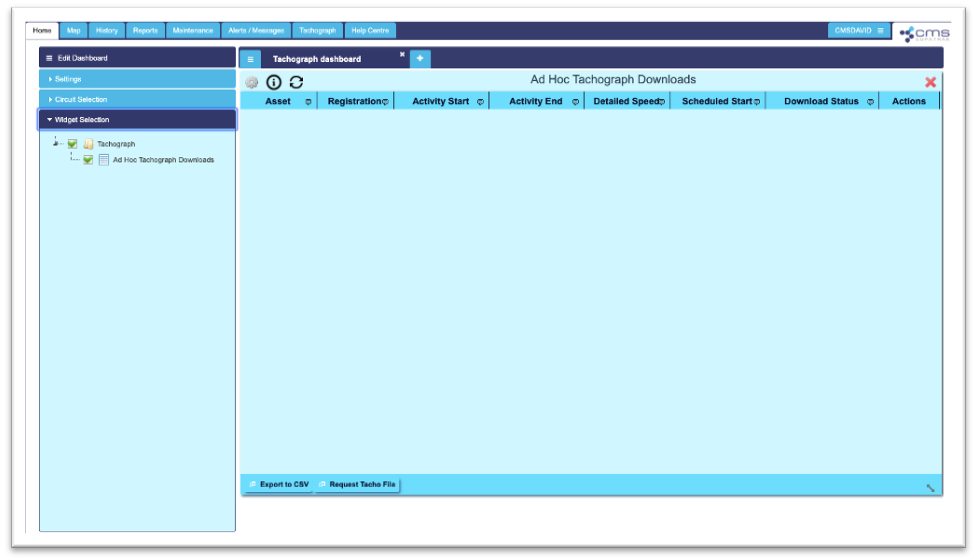
On logging into the SupaTrak web-based application, users will arrive at the ‘Home’ page, otherwise known as the Management Dashboard.
Users who subscribe to our TachoLive solution and who have the correct user permissions, can now add a Tachograph Dashboard to this page. To do this, click the blue plus sign to the right of the menu button at the top of this page.
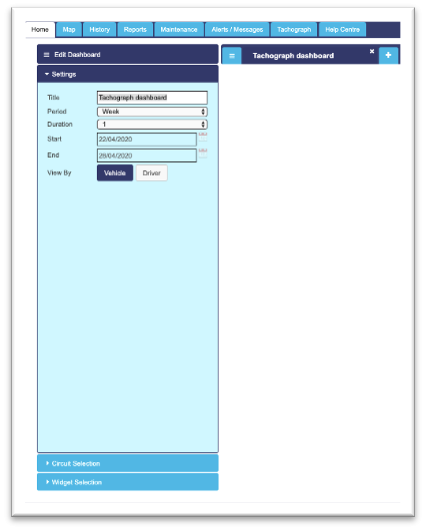
Users can name the dashboard and choose the period of time the dashboard represents within the ‘Settings’ heading, as shown above. Next, users can choose the heading ‘Circuit Selection’ to choose which vehicle data will be included on the dashboard.
Finally, users should click the ‘Widget Selection’ heading to add the ‘Ad Hoc Tachograph Downloads’ widget to the new dashboard.