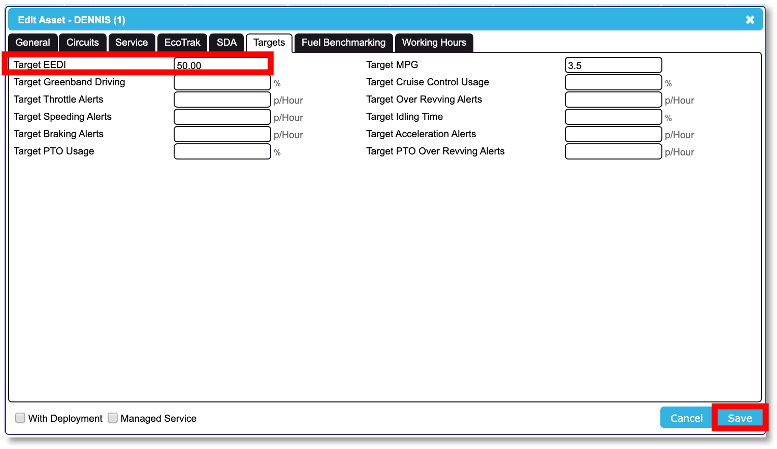
You can change the target Energy Efficient Driving Index (EEDI) score within the CMS SupaTrak web-based application.
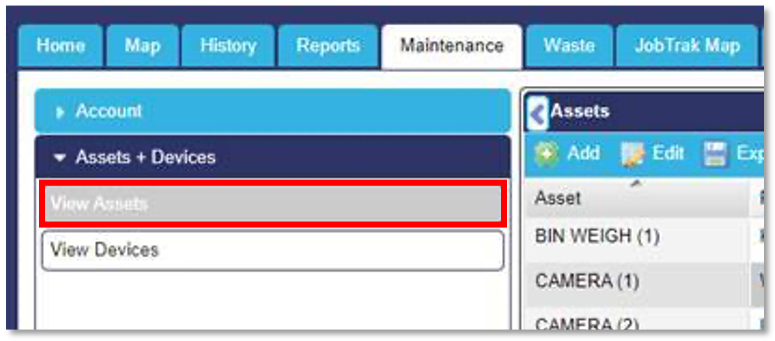
In order to do this, log into your account as normal and select the ‘Maintenance’ page. Then select ‘Assets + Devices’ from the tabs on the left hand side of the screen and click onto 'view Assets'.
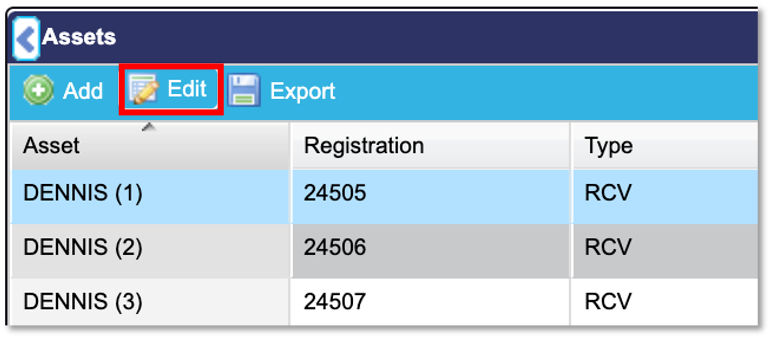
All assets should now be displayed. Select the asset you would like to change the target EEDI score on; in this case we are changing the target EEDI score on the ‘Dennis (1)’ asset. You will know that the asset has been selected because it will be highlighted. Next you need to select the ‘Edit’ button shown in the screen shot below.
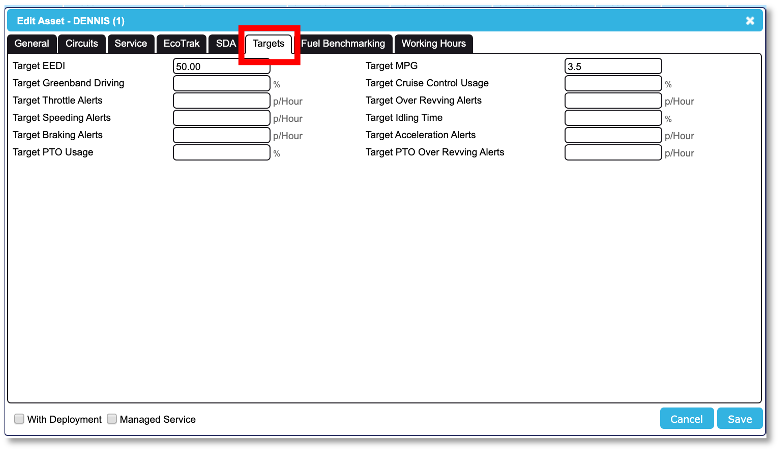
You will now see a pop up box which will display further information about that asset. There will be a number of tabs across the top of the box; select the ‘Targets’ tab.
When the ‘Targets’ tab has been selected, you will be able to see what the target EEDI is currently set to. To change the targets, simply type the desired values in the boxes and click ‘Save’. This will be adjusted on the SDA1 once the vehicle ignition has been turned off and on again.