In order to delete a road from an existing round, users should navigate to the ‘Waste’ tab located at the top of the page before clicking onto 'Rounds' and then selecting 'View Rounds'. This will show you all of the rounds saved onto your account:
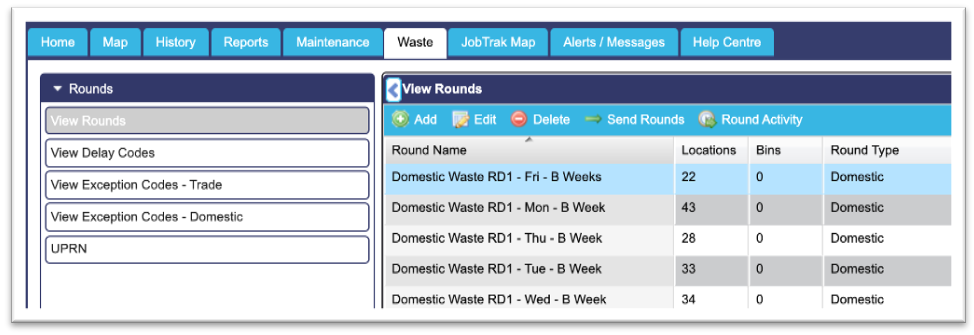
From here, users can select the round that they wish to edit, by left clicking onto it (the round will then be highlighted blue as shown in the example above). Users should then click onto the ‘Edit’ button at the top of the list which will bring up a pop-up window like the one shown below:
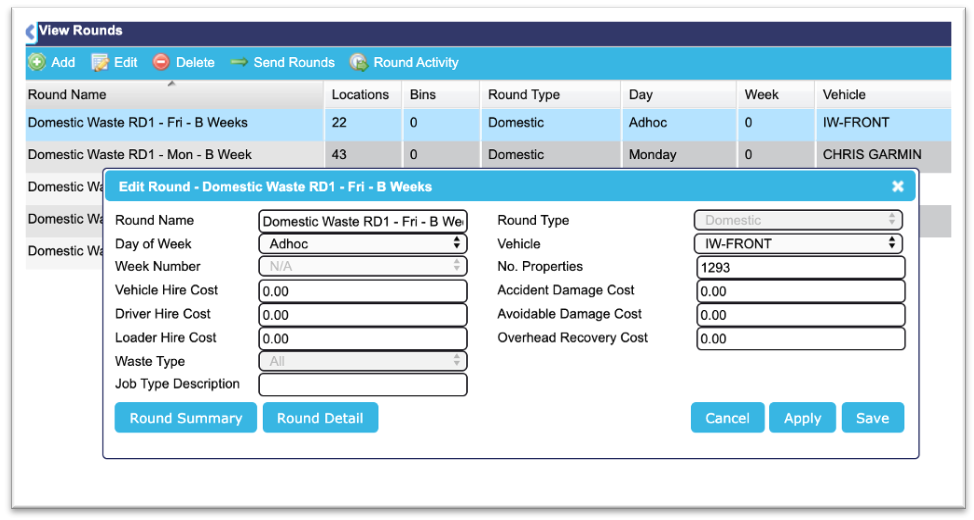
Next, users should click onto the ‘Round Detail’ button at the bottom of this pop-up window, this will show all locations within this round. The screenshot below shows an example of how this will look:
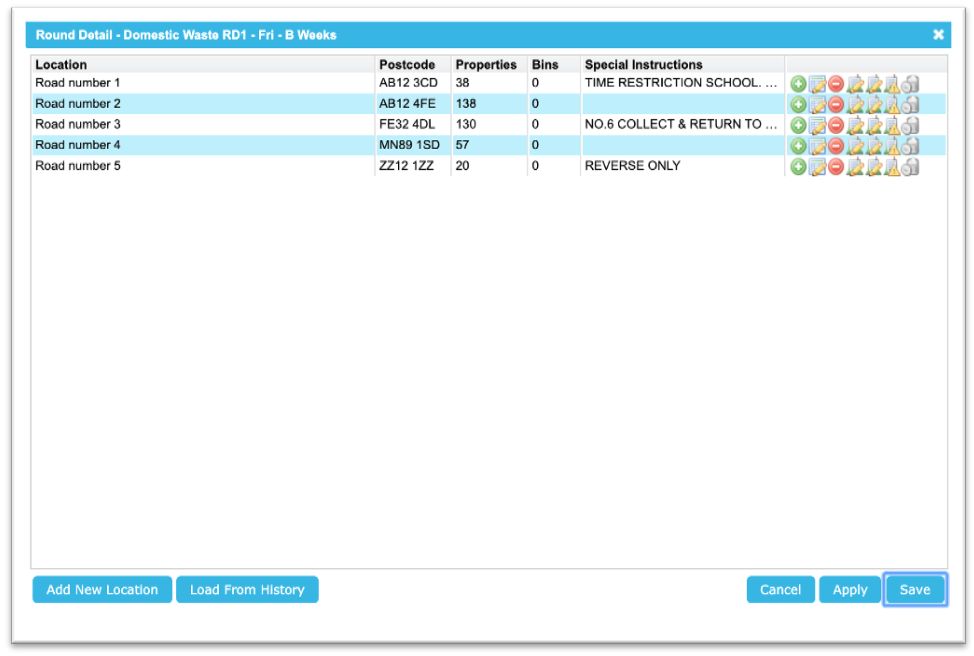
In order to remove a road, users simply need to click onto the third icon against that specific street. Once selected, a popup window will appear asking if you are certain that you want to delete the road, simply select yes, click save and the change will be made.
NB: Please note that all changes made to the rounds will be permanent and it will not be possible for these to be reversed. As a result, if you are unsure or need any help with making these amendments then please contact our Support Team to discuss these further.