In order to edit a customer, property or bin please navigate to the 'JobTrak' section and then the 'Trade Waste' page. Within this area you will be able to view and edit the customers, properties or bins setup on the system.
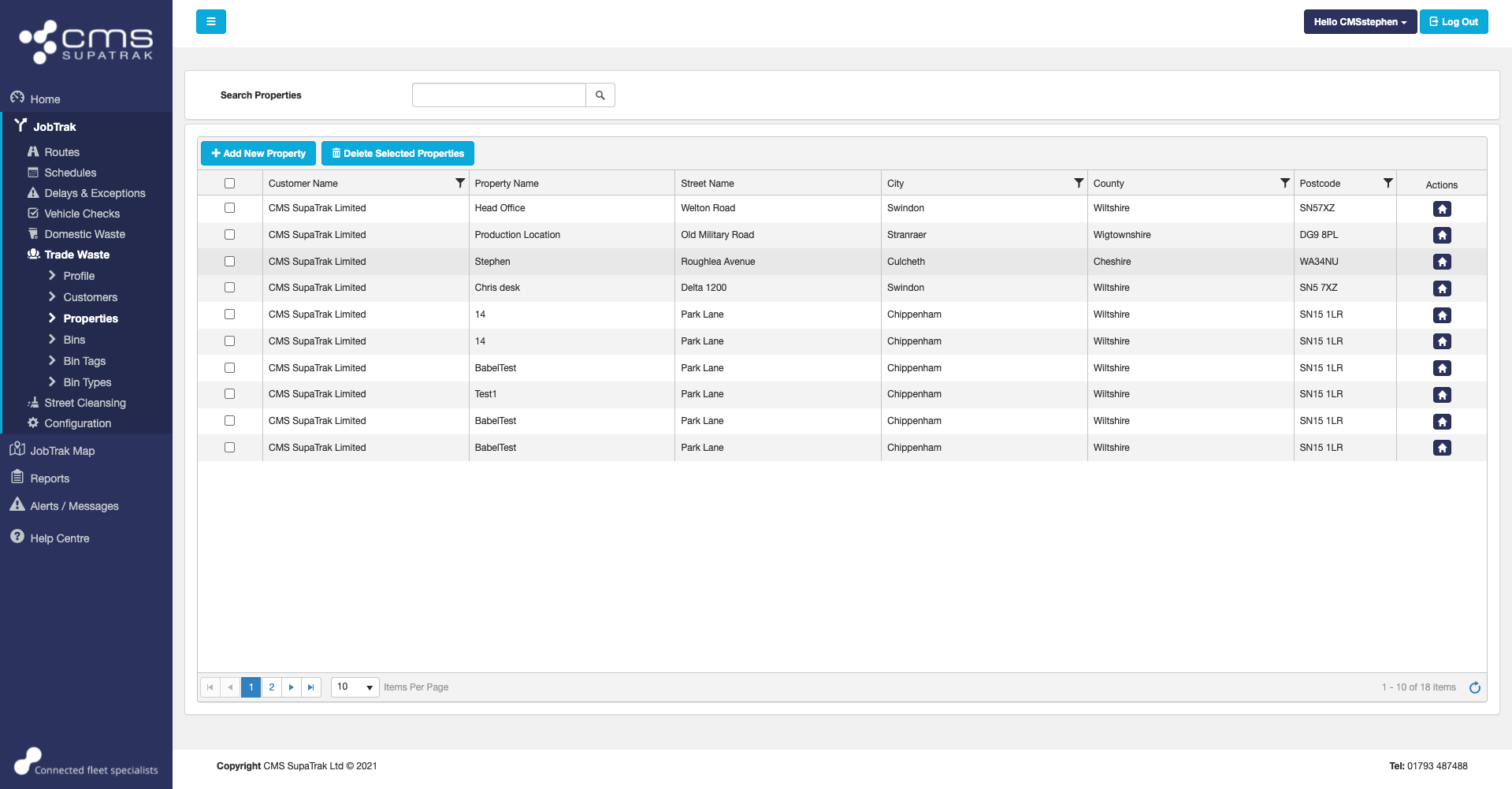
Each page will include a search box to assist you with finding the record that needs to be updated. Once you have the found the record that you want to update, please select the button in the 'Actions' section and a pop-up will be shown containing the information recorded.
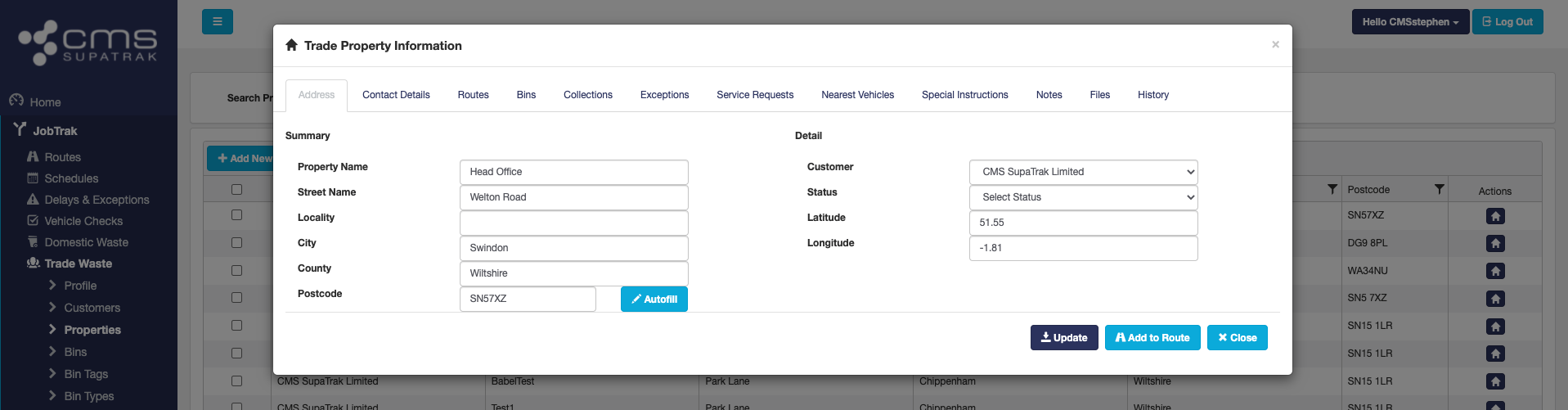
Use the tabs across the top of this pop-up to view and edit the information recorded. Once completed, please select the 'update' button on the bottom of this pop-up window.