Yes, both options are available.
In order to administer this, please navigate to the 'Routes' page and search for the route that you want to update. Once found, please click onto the light blue edit round button shown below - this can be found in the actions section on the right-hand side of the page).

Once selected, a pop-up window similar to the one below will be shown. Click onto the 'Send Using' option to choose which method you would like to use.
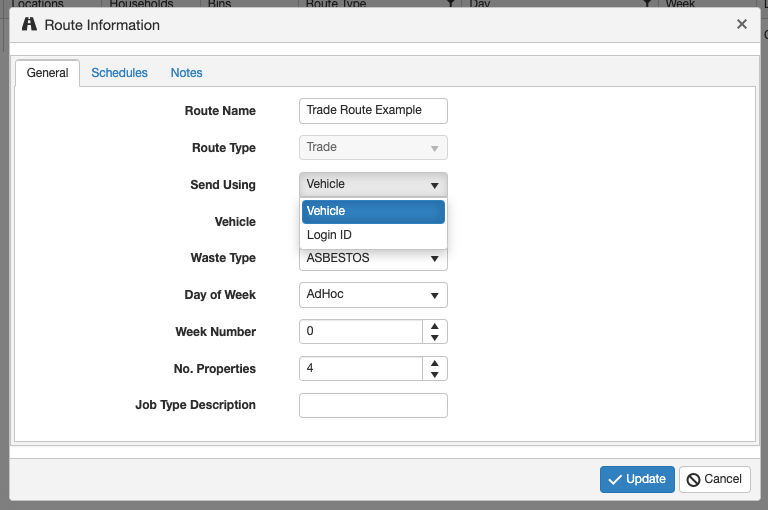
If you choose to use the 'Vehicle' option then you will need to select a vehicle registration from the system. Alternatively, please select 'Login ID' where you will be able to enter an ID of your choosing (NB: It is our suggestion that you keep the Login ID simple and dont include spaces or special characters).