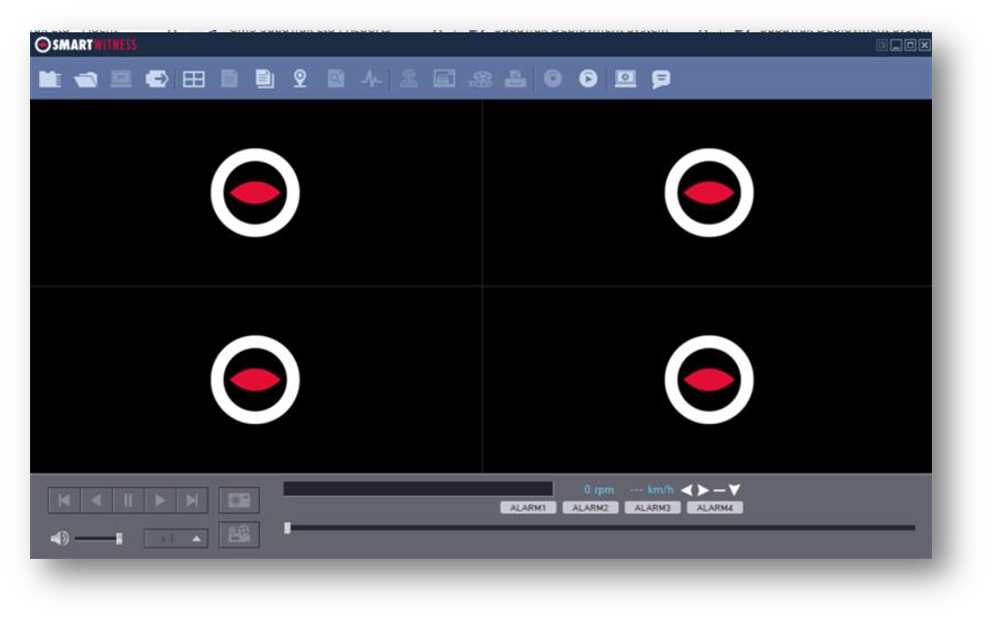
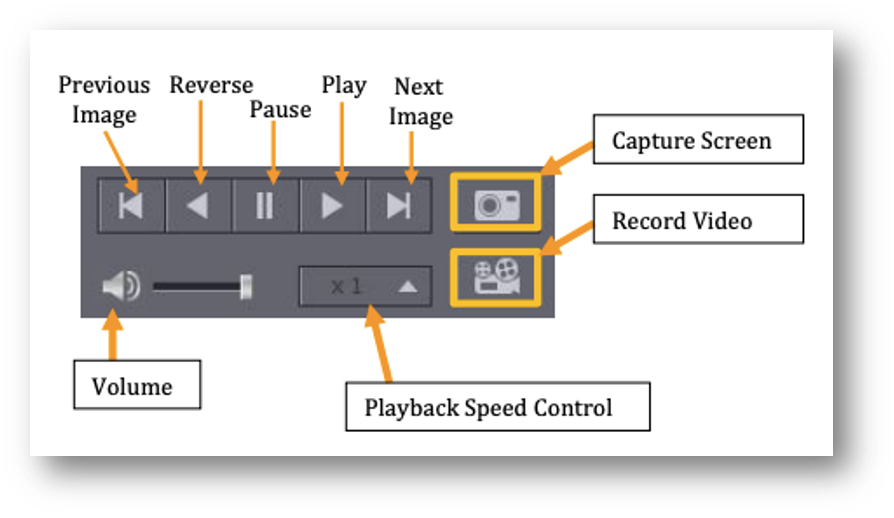
Yes. Following setup of the PC Viewer Software, ensure the SD card is inserted into your PC and then follow these steps to view your footage:
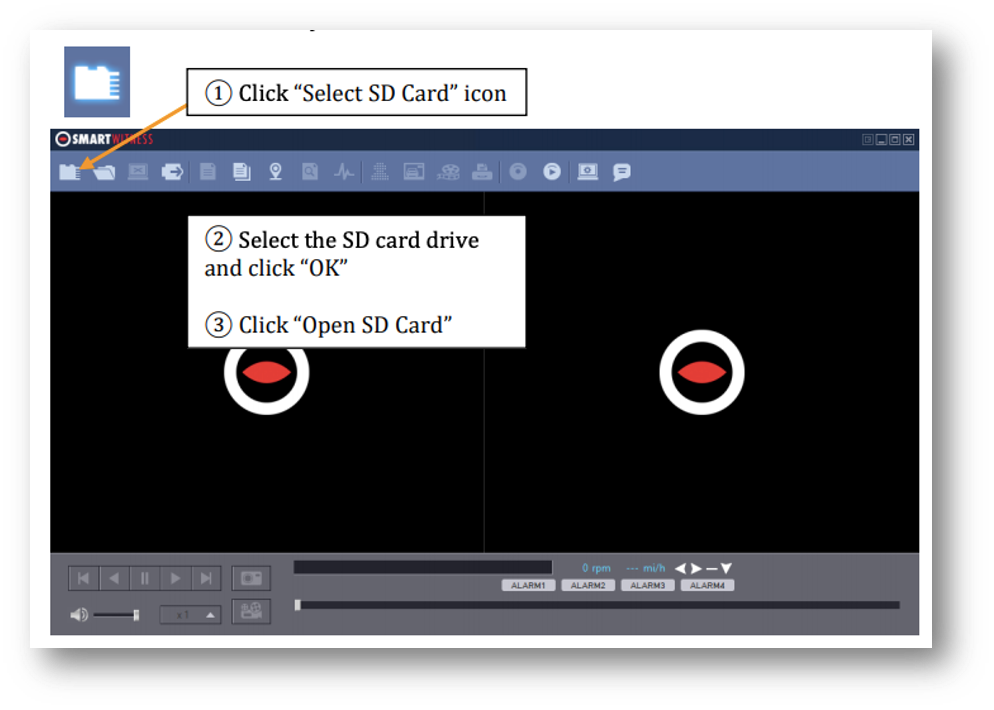
The playback file list and “Continuous” and “Event” tab is displayed on the right side of the screen.
If you want to play a specific file that has been backed up on the PC or SD Card, you can click onto the “Open files” icon. Select the file you want to play and click “Open”. The image of the selected file will then be displayed, and you can click the “Play” button to play the file.