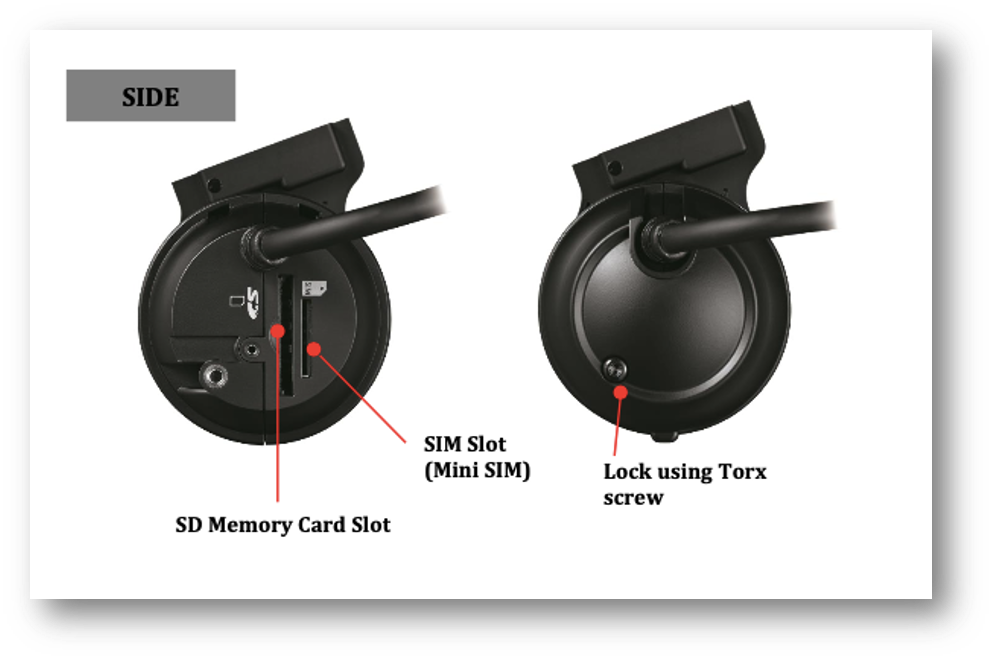
To safely remove the SD card from the forward-facing crash camera, please ensure that the vehicle is powered off. Then check the that the blue LED light is off, before continuing with the removal of the SD card.
To remove the SD card, the SD cover will need to be removed. To do this, unscrew the Torx screw (pictured below) with the key provided during the installation and remove the cover.
Following removal of the cover, press the SD card into the slot to get it to pop out. Remove the SD card and ensure that the Torx screw is kept safely – you may want to put the cover back on with the Torx screw to ensure it is not lost for future use.