IMPORTANT: Please note that JobTrak v4 is subject to change during the BETA test process.
To upload UPRN or USRN special instructions, navigate to the ‘Domestic Tools’ section by using the menu at the left-hand side of the screen.
JobTrak > Configuration > Domestic Tools
Once in the ‘Domestic Tools’ section, scroll down to the heading ‘Special Instructions Upload’, as shown below:
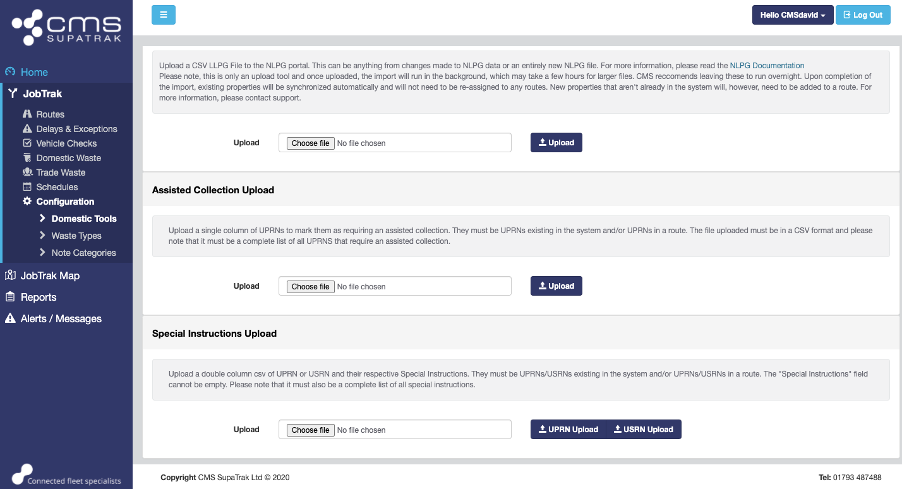
A csv. file will need to be created and uploaded. This file should include two columns – one column should include either UPRN or USRN, and their respective special instructions.
The UPRNs/USRNs must be existing in the system and the Special Instructions field cannot be empty in your csv. file.
This must be a complete list of all special instructions, and please take care that it is correct – this will overwrite all current special instruction data already uploaded to your account and assigned to properties/streets.
Click the ‘Choose file’ button to upload your special instructions csv file to the system. Once this file has uploaded, click either ‘UPRN Upload’ or ‘USRN Upload’ dependant on the information you are uploading.